
DoorDash: Food, Grocery, More
DoorDashFood & Drink
4.7711.24K Reviews
- Version
- 15.298.4
- Installs
- 50.00M
- Age Rating
- Everyone
Screenshots
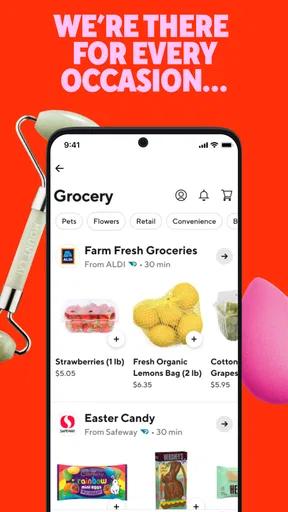
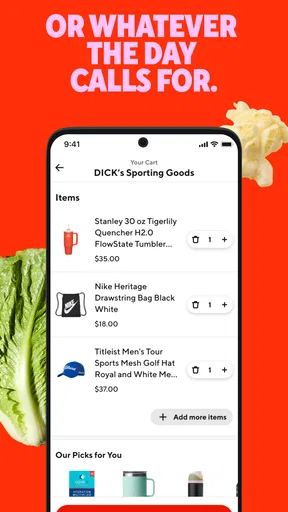
Our Review of DoorDash: Food, Grocery, More
 Analysis by Appyee
If you’re like me, sometimes the last thing you want to do after a long day is cook or even step out to grab some food. Enter DoorDash: Food, Grocery, More, a convenient way to browse meals, groceries, and other everyday essentials from your phone. I find it most useful when I already know what I need but would rather compare nearby options than make a separate trip.
A practical order starts with the address
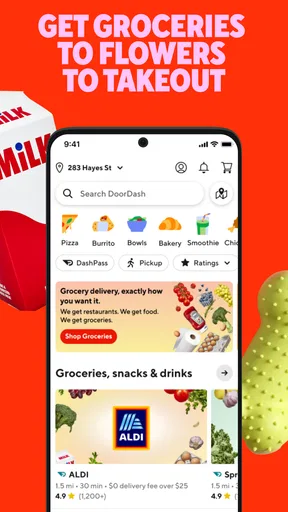
When I open a delivery app, I start by checking that the delivery address is right. That small habit matters with DoorDash because the restaurants and stores shown depend on where I’m ordering. Once the location is set, I can look through available options, search for a particular dish or item, and narrow the list rather than scrolling without a plan.
For a first order, I’d decide whether I’m looking for a meal, groceries, or a retail essential before browsing. That keeps the search focused and makes it easier to compare relevant choices. If I’m ordering for more than one person, I check the menu and item details before adding things to the cart; it is less frustrating to resolve a missing preference before checkout than after the order is on its way.
Make repeat orders work for you
DoorDash becomes more useful when I treat it as a routine tool instead of only opening it in a last-minute rush. Saving a favorite order can cut down the number of decisions on a busy day, but I still review the cart before placing it. A saved meal is a shortcut, not a guarantee that the same selection is right for every occasion or that the details have stayed the same.
For groceries, I find it helpful to prepare a short list before opening the app. I can search for the essentials first, then look at alternatives if an item does not suit what I need. This is a more reliable approach than filling the cart with tempting extras and only later checking whether I have covered the basics.
What to check before checkout
Before confirming an order, I take a moment to review the selected items, delivery address, and payment choice. That quick check is especially worthwhile when switching between a restaurant order and a store order, or when placing something for another person. If timing matters, I look at the delivery information shown in the app and decide whether ordering now or scheduling ahead is the better fit.
Promotions can make an order more appealing, but I wouldn’t build a regular budget around occasional offers. I compare the final order with what I actually need and consider whether pickup or a trip to a nearby shop would be simpler. Delivery is most valuable to me when the saved time or avoided effort is worth the overall cost.
Your Personal Delivery Hero
From the moment I launched the DoorDash app, it felt like I had a world of culinary options right at my fingertips. Whether you’re craving sushi, a juicy burger, or just need to restock your pantry, this app has got you covered. The interface is super intuitive. Just type in your address, and it instantly displays all the restaurants and stores available in your area. It's like having a personal assistant who knows all the best local spots.
Diverse Choices and Easy Navigation
One of my favorite features is the diverse range of food and groceries available. You can choose from a variety of cuisines like Italian, Mexican, or Asian, and the app even lets you sort by dietary preferences. The navigation is smooth, with easy-to-use filters that help you find exactly what you’re looking for in seconds. The search function is pretty powerful, making it easy to discover new favorites.
That variety makes the app particularly handy when I’m shopping for a mixed household. I can search with a specific meal or dietary need in mind, then use the available choices to find something everyone can work with. A useful trick is to switch from broad browsing to a precise search once I have a dish or ingredient in mind; it reduces the temptation to treat every appealing listing as a serious option.
Fast and Reliable Delivery
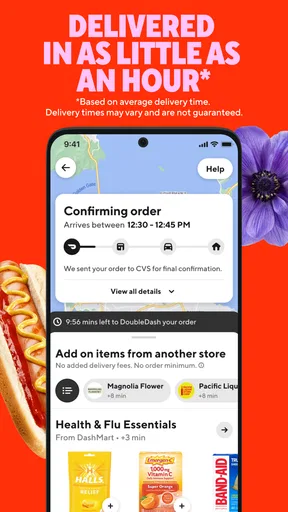
Okay, let’s talk about the delivery service itself. I’ve used DoorDash multiple times, and the delivery is consistently quick and reliable. The real-time tracking feature is a lifesaver when you’re starving and want to know exactly how far away your food is. Plus, the option to schedule deliveries in advance is perfect for planning ahead, whether it’s for a family dinner or a surprise lunch for a friend.
For a realistic workday example, I might schedule a meal for a break instead of waiting until I’m already hungry to begin browsing. I still treat the planned time as a convenience rather than a reason to leave no room for change: work can run late, and plans can shift. Tracking is helpful for keeping an eye on an order, but I wouldn’t use it as a substitute for allowing some flexibility when coordinating a meal with other people.
User-Friendly Experience
Let’s face it, no one wants to struggle with a clunky app when they’re hungry. Luckily, DoorDash is designed with the user in mind. The checkout process is straightforward, with multiple payment options, including credit cards and digital wallets. You can even save your favorite orders for quick reordering, which is perfect for those busy days when you don’t want to think too hard about what to eat.
My settings routine is simple: I confirm the delivery location, check which payment method is selected, and read through the order summary before I commit. Those checks are more useful than trying to rush through checkout, particularly if I have recently changed where I’m staying or am ordering for someone else. If an order has a special instruction field, I keep any note brief and practical rather than relying on it to replace clear item choices.
DoorDash is a free app from DoorDash, and its broad delivery focus sets it apart from a restaurant’s own ordering app. A restaurant app can be the more direct choice when I want to order from one particular place; DoorDash makes more sense when I want to compare multiple nearby restaurants or combine a food search with grocery and retail browsing. It is a Food & Drink app, rated for Everyone, with a 4.7 average from around 5.6 million ratings and more than 50 million installs. It was released on March 26, 2015, and version 15.253.15 requires Android 8.0 or later. Those figures show that it is widely used, though they don’t tell me whether a particular store or delivery option will suit my address.
That local variation is an important limit. The available selection depends on where I’m ordering, and a broad catalog does not mean every restaurant or item will be available at every address. I also compare the full order with alternatives: pickup may be better when I’m already nearby, while shopping in person gives me more direct control over choosing produce or checking a product. DoorDash is strongest when convenience and choice matter more than making the trip myself.
When I’d choose it—and when I wouldn’t
I’d recommend DoorDash to someone who wants one place to explore restaurant meals alongside groceries and everyday retail needs, especially when time, mobility, or weather makes a trip inconvenient. It can also help when a group cannot agree on one cuisine: each person can consider different nearby options before the order is settled. For a predictable weekday lunch, a saved favorite can reduce decision-making; for a larger grocery shop, a prepared list helps keep the order purposeful.
I would skip delivery when I need an item immediately, when I want to inspect fresh products myself, or when a short walk to a shop is easier than placing an order. It is also not the best fit for someone who prefers to avoid delivery charges or wants the lowest possible total every time. In those cases, pickup, a store’s own ordering service, or shopping in person may be a better match. My rule is to use DoorDash when the convenience has a clear purpose, not simply because the app makes browsing easy.
Where its convenience has limits
DoorDash’s range is useful, but switching among food, grocery, and retail choices can make browsing feel less focused if I open the app without a specific need. I get better results by deciding what kind of order I’m placing first, then searching and filtering around that goal. For a grocery order, I review essentials before extras; for dinner, I settle on the kind of meal before comparing restaurants. This keeps variety from turning into a longer decision than the errand itself.
I also avoid assuming that a previous order will always be the right template. Reordering is handy, but I check the contents and summary every time, especially if I’m ordering for guests or trying to meet a particular dietary preference. A familiar choice can save effort, while a fresh review catches changes in what I actually need. That balance is the difference between using shortcuts thoughtfully and letting them make the decision for me.
DoorDash has an average rating of 4.7, and its substantial audience makes it a familiar option, but popularity is not a promise of identical experiences in every area. I judge it by whether the local choices, timing, and order total work for the occasion in front of me. Its strongest role is as a flexible delivery option, not a replacement for every restaurant, grocery trip, or quick stop at a nearby store.
Not to mention, the app frequently offers promotions and discounts, so you can enjoy a little savings while indulging in your favorite treats. Who doesn’t love a good deal, right?
The Verdict
In a nutshell, DoorDash: Food, Grocery, More is a useful app for anyone who values convenience and variety. Whether you’re too busy to cook, need groceries in a pinch, or want to treat yourself to something delicious, it can take some of the work out of arranging delivery. I’d use it with a clear plan, check the order before confirming, and compare delivery with pickup or shopping in person when cost or control matters more. If that trade-off suits you, DoorDash is worth trying; if you’d rather choose items yourself or keep every errand as inexpensive as possible, another option may serve you better.
Privacy and Permissions
See what permissions an app requests and how it handles your data.
- Contacts
- read your contacts, modify your contacts
- Location
- approximate location (network-based), precise location (GPS and network-based)
- Phone
- directly call phone numbers, read phone status and identity
- Photos/Media/Files
- read the contents of your USB storage
- Storage
- read the contents of your USB storage
- Camera
- take pictures and videos
- Microphone
- record audio
- Wi-Fi connection information
- view Wi-Fi connections
- Device ID & call information
- read phone status and identity
- Other
- view network connections, pair with Bluetooth devices, access Bluetooth settings, change network connectivity, control flashlight, full network access, change your audio settings, control Near Field Communication, run at startup, control vibration, prevent device from sleeping, Google Play license check, read Google service configuration
Verdict
Strengths of DoorDash: Food, Grocery, More
- Wide selection of restaurants and cuisines.
- User-friendly interface with easy navigation.
- Real-time tracking of orders for convenience.
- Regular promotions and discounts available.
- Option to schedule deliveries in advance.
Limitations of DoorDash: Food, Grocery, More
- Delivery fees can add up quickly.
- Some areas have limited restaurant options.
- Occasional delays during peak hours.
- Quality of food can vary by restaurant.
- Inconsistent customer service experiences.
Other Releases by DoorDash
View All
DoorDash - Dasher
Business4.6
Similar Picks in This Category
View All
Rappi: Food Delivery, Grocery
Rappi, Inc - Delivery3.5

McDonald’s: Cupons e Delivery
Arcos Dorados4.3

Swiggy: Food Instamart Dineout
Swiggy4.7

Blinkit: Groceries & more
Blinkit4.8

foodpanda: food & groceries
Foodpanda GmbH a subsidiary of Delivery Hero SE4.0

Zomato: Food Delivery & Dining
Zomato4.7
You May Also Like
View All


Frequently Asked Questions
What is DoorDash and how does it work?
DoorDash is a food delivery app that connects users with their favorite local and national restaurants. Using the app, you can browse menus, place orders, and have food delivered to your doorstep by a Dasher. The app also offers grocery delivery, making it a convenient solution for both meal and grocery needs.
Is there a delivery fee when using DoorDash?
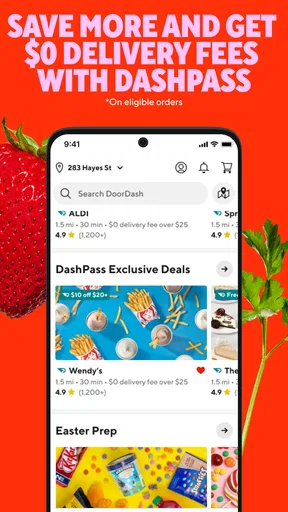
Yes, DoorDash charges a delivery fee that varies based on your location and the restaurant you choose. Additionally, there may be service fees and small order fees for orders under a certain amount. DashPass, a subscription service, can help reduce or eliminate these fees for a monthly cost.
How do I pay for my orders on DoorDash?
DoorDash accepts multiple payment methods, including major credit and debit cards, Apple Pay, and Google Pay. You can securely save your payment information in the app for quick and easy checkout. Additionally, some locations may allow cash payments, though this is less common.
Can I schedule orders in advance on DoorDash?
Yes, DoorDash allows you to schedule orders in advance. You can choose your desired delivery time during the checkout process. This feature is particularly useful if you want your meal to arrive at a specific time, ensuring your food is fresh and ready when you need it.
What happens if my DoorDash order is incorrect or late?
If your order is incorrect or late, you can report the issue directly through the app. DoorDash has a customer support team that can assist with resolving problems, offering refunds, or providing credits. The app also allows you to track your order in real-time, helping to manage expectations on delivery timing.
